
How to get Google reCAPTCHA keys
What is Google reCAPTCHA? It is a free service provided by Google to prevent bots from abusing websites. If you have a form on your website and the user needs to fill in data, it is always a good idea to implement some kind of detection between bots and real users.
Google reCaptcha helps you with that and getting Google reCAPTCHA key is really simple by following this text. All you need is to login to Google reCaptcha Admin and create keys for your domain.
What does it look like?
Google reCAPTCHA has evolved through several versions to enhance website security while minimizing user inconvenience. Here is a summary of its different versions:
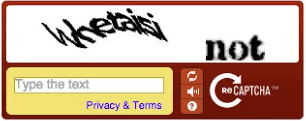
reCAPTCHA v1: The initial version, launched in 2007, required users to decipher distorted text or solve simple image-based puzzles to prove they were human. This version is now deprecated and no longer in use.
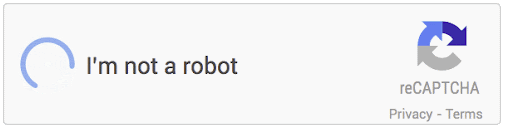
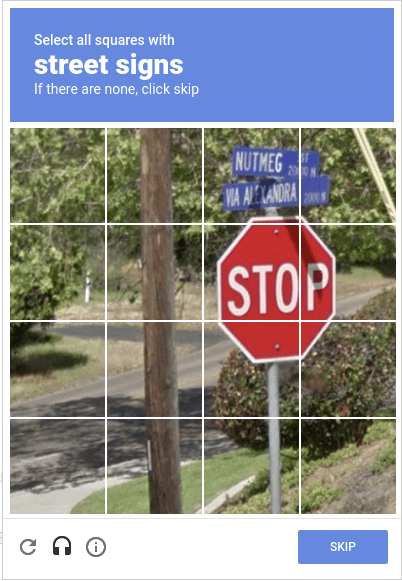
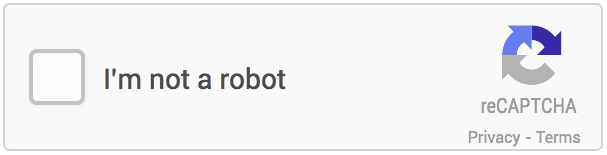
reCAPTCHA v2: Introduced a simple "I am not a robot" checkbox, which most users just need to click. For those flagged as suspicious, additional image-based challenges (e.g., selecting pictures of traffic lights) are presented. This version balances security with user experience and remains widely used.
Invisible reCAPTCHA v2: This variant of v2 removes the need for the checkbox. The CAPTCHA challenge is executed automatically based on user behavior on the page. If the behavior is deemed suspicious, a challenge appears, reducing friction for most users
reCAPTCHA v3: The latest version, which operates entirely in the background, assigns a risk score to each user interaction. This score helps determine whether the user is likely a human or a bot. Site administrators can set thresholds to decide when to take action, such as requiring additional verification steps. This version aims to provide seamless user experience with enhanced security.
When and Why did it start?
Google reCAPTCHA was introduced in 2007 as a tool to protect websites from malicious bots and automated attacks. It was initially developed by a team at Carnegie Mellon University and later acquired by Google in 2009.
The reason for introducing reCAPTCHA was to combat the problem of automated programs abusing web forms, such as registering fake accounts, sending spam messages, or attempting to crack passwords. reCAPTCHA was designed to distinguish real users from bots by using simple tasks that humans can easily solve but are difficult for bots.
Over time, reCAPTCHA has evolved and become more sophisticated. From simple text tests to more complex methods like analyzing user behavior on the page, all aimed at improving security and reducing inconvenience for real users. Today, reCAPTCHA uses advanced algorithms and machine learning to effectively protect websites with minimal disruption to the user experience.
Why use it?
Websites should use Google reCAPTCHA for several important reasons:
Security: reCAPTCHA helps protect websites from malicious activities, such as automated bots trying to spam, hack, or scrape data.
Preventing Spam: By filtering out automated submissions, reCAPTCHA helps reduce the amount of spam sent through contact forms, comment sections, and registration pages.
Protecting User Accounts: It adds an extra layer of security to login pages, preventing bots from attempting brute-force attacks to crack passwords.
Improving Data Quality: Ensuring that form submissions are from real users helps maintain the quality and integrity of the data collected from visitors.
User-Friendly Security: Modern versions of reCAPTCHA, like reCAPTCHA v3, provide security with minimal disruption to genuine users by analyzing user behavior in the background.
Using reCAPTCHA enhances the overall security and reliability of a website, making it a crucial tool for any online service that wants to protect itself and its users from malicious activity.
How to get Google reCAPTCHA keys?
What do I need to know before I start creating keys?
Before even starting you need to have a domain and know which version(type) of reCAPTCHA will be implemented on your website.
What should the domain look like?
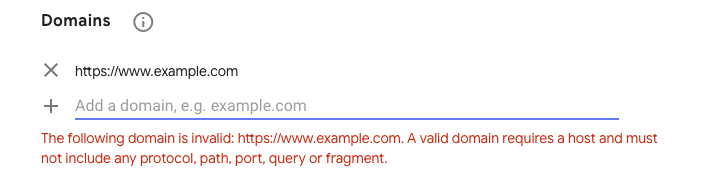
As you can check in the screenshot below, the domain will be used without any protocol, path,port, query or fragment. Valid example: “example.com”.
There are 3 different reCaptcha versions?
Make sure you know exactly which version(type) you will use, because keys created are paired to only one version.
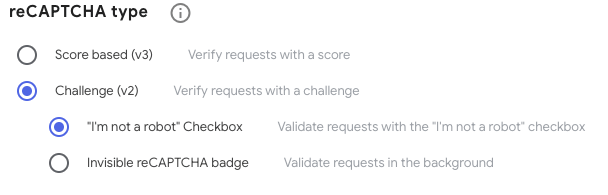
You can create keys for one of the following version(types):
V2 I’m not a robot
V2 Invisible
V3
“reCAPTCHA v3 allows you to verify if an interaction is legitimate without any user interaction.” more information here
How to create?
Login to Google reCaptcha Admin with your Google account.
Click on “+”(plus) sign in the right top corner
Fill in the data and click on the submit button after that.
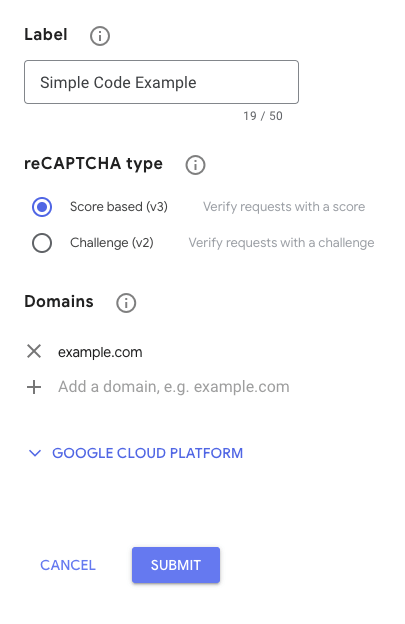
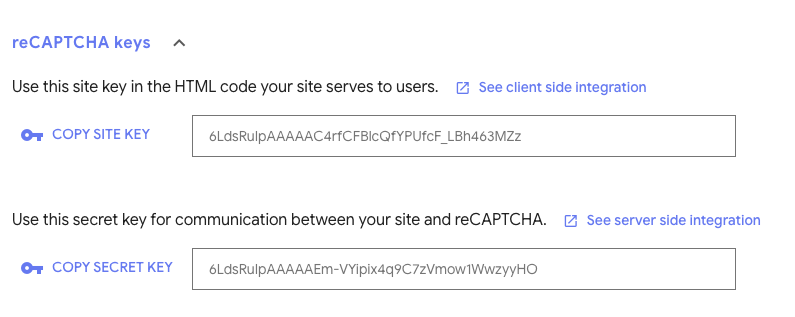
Copy “Site Key” and “Secret Key” and use it as you need.
How to access it any time?
Do not worry about storing keys to some document, you can always access them:
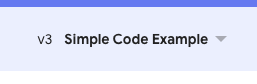
In the top left corner select your set of keys by “Label” you have entered.
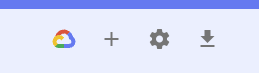
Then click on the “settings” icon in the top right corner.
All information will be visible
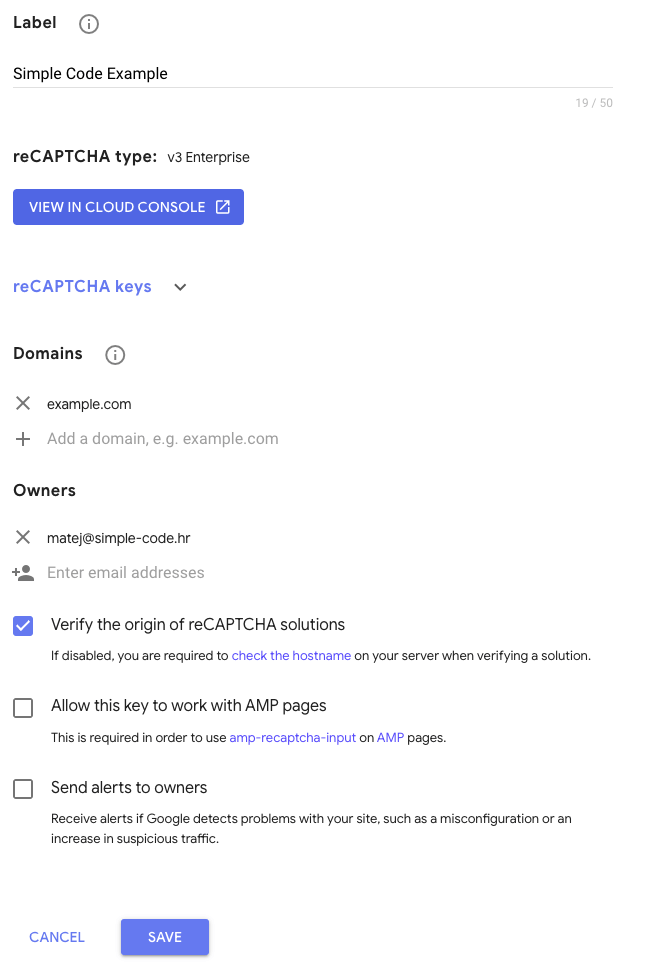
At the end, click on “reCAPTCHA keys” to expand that section
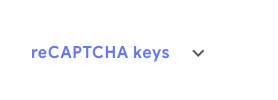
And your keys are visible
Conclusion
Using Google reCAPTCHA is beneficial because it significantly enhances website security by preventing malicious bots and automated attacks while ensuring a smooth user experience. It helps maintain data integrity, reduces spam, and protects user accounts with minimal disruption to genuine users.
Articles You Might Like
Explore how Svelte 5 revolutionizes web development with runes and enhanced reactivity for faster apps....


Learn why websites get hacked and how to protect yours with practical security measures and best practices....


Wondering what the top Node.js frameworks in 2024 are? Read on to discover the best options for your project!...

Slow website costing you customers? Discover 10 practical ways to enhance your site's performance and keep visitors engaged....

In this article, we compare WordPress, TYPO3, and Craft CMS - platforms that allow you to manage and customize your website. We help you decide which CMS is the most suitable for your business and use case....


This comprehensive guide will combine insights from leading sources and our expertise to help you master image optimization for your website....

To ensure your app remains relevant, functional, and appealing to your user base, a robust post-launch maintenance plan is essential....